Corporation Tax returns that are checked before they leave.
Prepare the CT600 from your company's accounts, work out the tax with marginal relief and losses, and validate the return against HMRC's own rules before you submit.
Prepare and check against HMRC's business rules. FinanceBee is not yet on HMRC's Corporation Tax software list.
01Pull the accounts
Profit and balance sheet from the books
02Work out the tax
Rates, marginal relief and losses
03Validate
HMRC business rules on screen
04Review
Clear filing history per company
v3current CT600, on HMRC's published schema
0forms and schedules on the company tax return
0months after the period ends to file the CT600
The current CT600, with HMRC's rules built in.
Built on HMRC's published schema for the company tax return. Errors are fixed on screen, not after a rejection letter.
The core company tax return: CT600 version 3, on HMRC's published schema.
A TaxCalc-style SimpleStep wizard: company details, linked books, the CT600 core, supplementary pages, then Check & Finish with HMRC's validation rules. Prepare-and-check only. FinanceBee is not on HMRC's software list yet.
CT600 · version 3Before it leaves
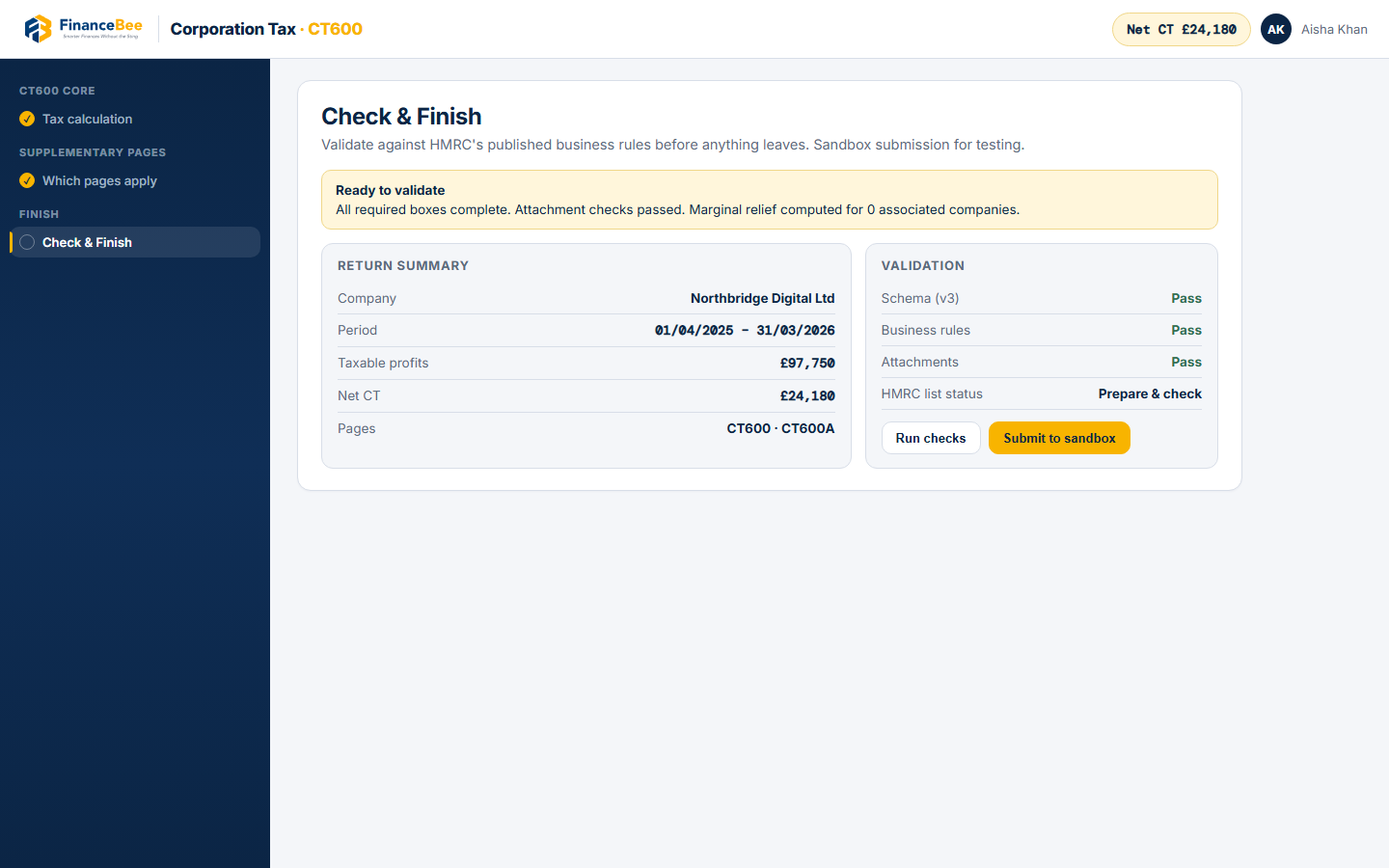
HMRC validation before it leaves
Every return is checked against HMRC's business rules on screen, so errors are fixed before anything goes: prepare-and-check, not after a rejection letter.
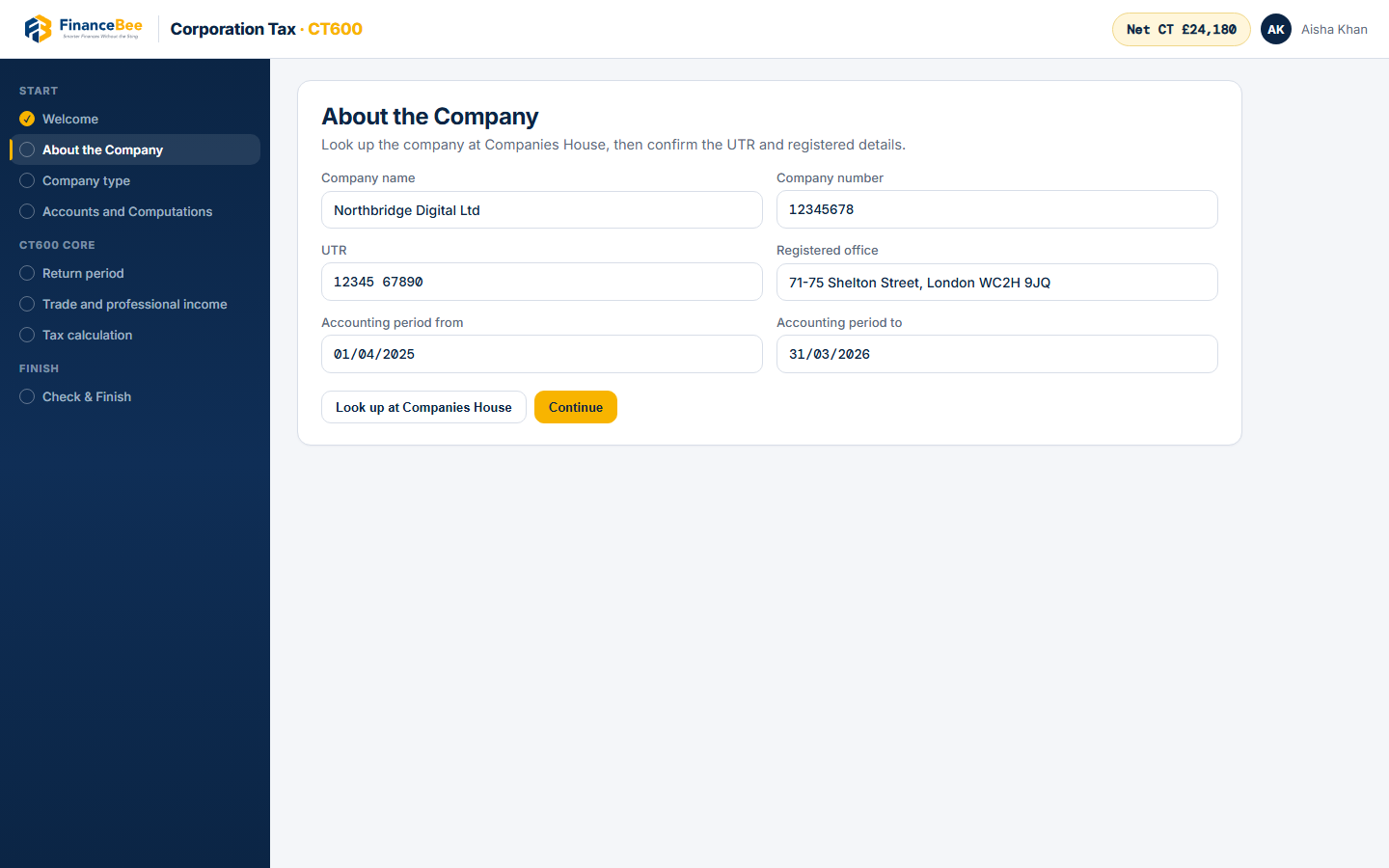
Companies House lookup, UTR and the accounting period before you open the form.
Rates & relief
Tax worked out for you
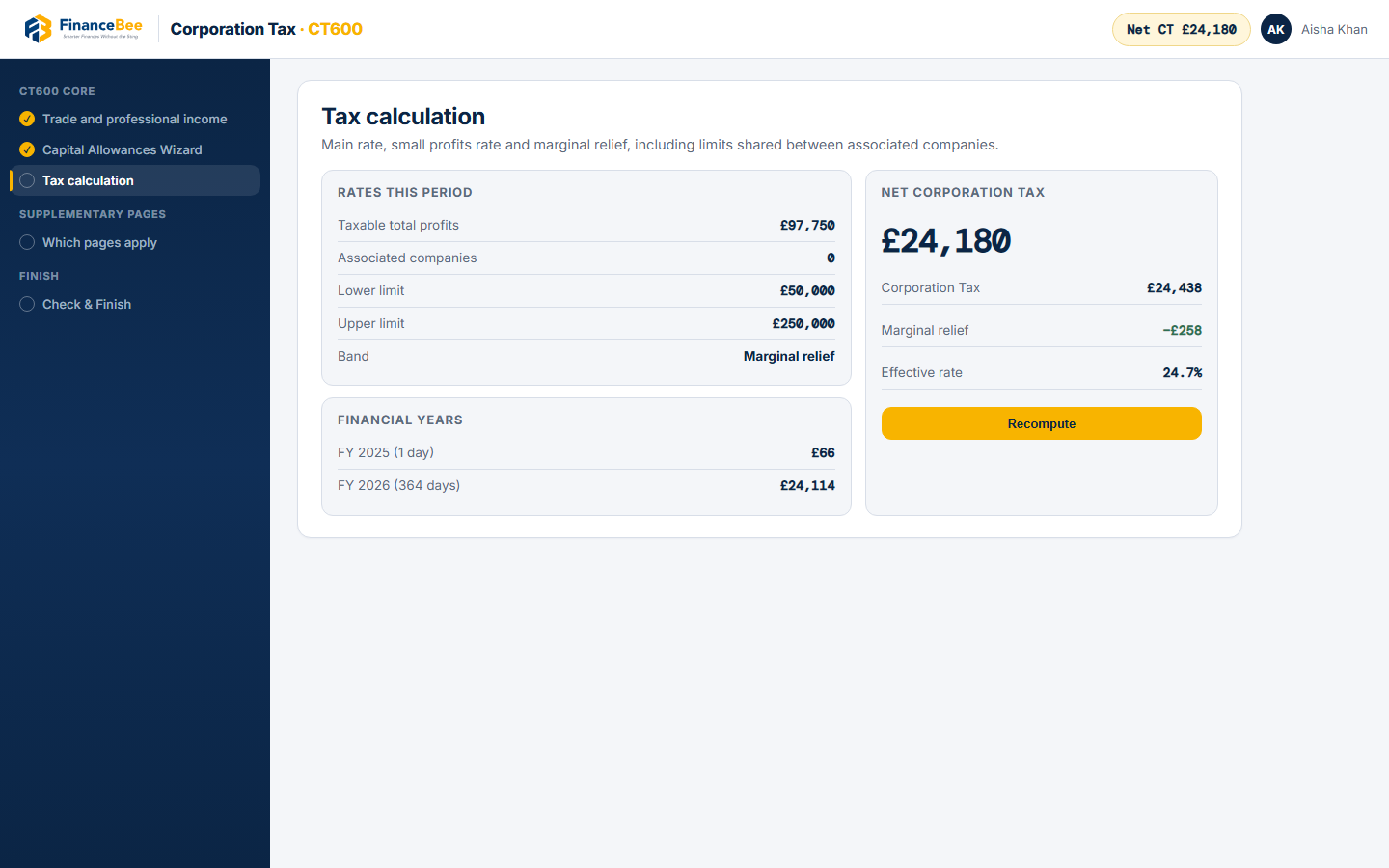
Main rate, small profits rate and marginal relief, including limits shared between associated companies.
19%→25%Effective rate
Losses handled properly
Trading losses brought forward, carried back and used against current year profits.
R&D relief
Enter qualifying spend and see the effect on the computation.
Attachment checks
Accounts and computations checked against HMRC's attachment rules.
Linked booksAccounts
Profit and balance sheet
Source
FinanceBee Accounts
Accounts
Prepare alongside
History
Every submission
Status and HMRC response kept per period
From the ledger
Linked to your books
Profit and the balance sheet come from FinanceBee Accounts, and small company accounts can be prepared alongside the return. See every submission, its status and HMRC's response for each company and period.
Product tour
See the return as you will use it.
FinanceBee · Corporation Tax
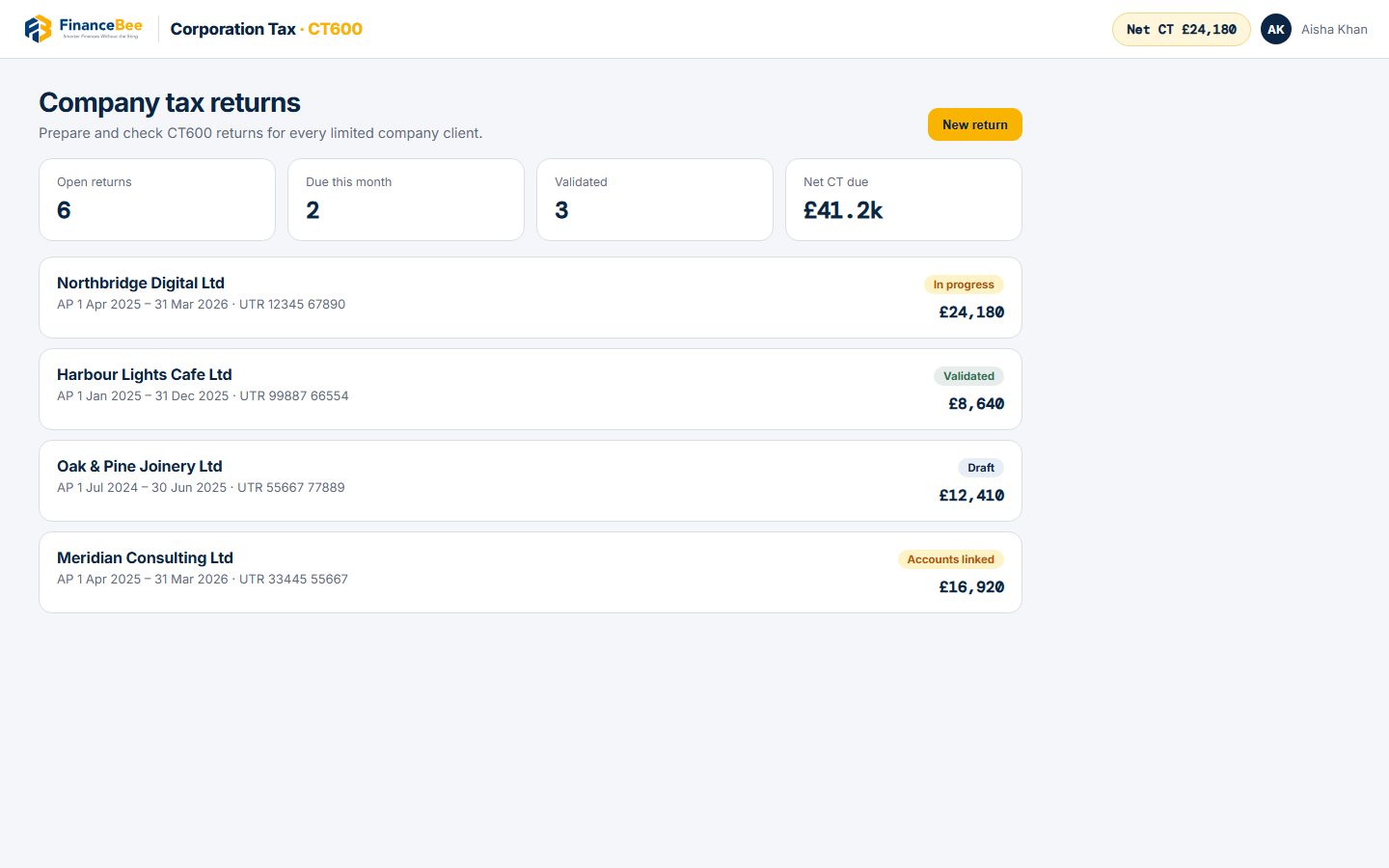
Every limited company client in one list, with Net Corporation Tax and filing status.
Companies House lookup, UTR and the accounting period before you open the form.
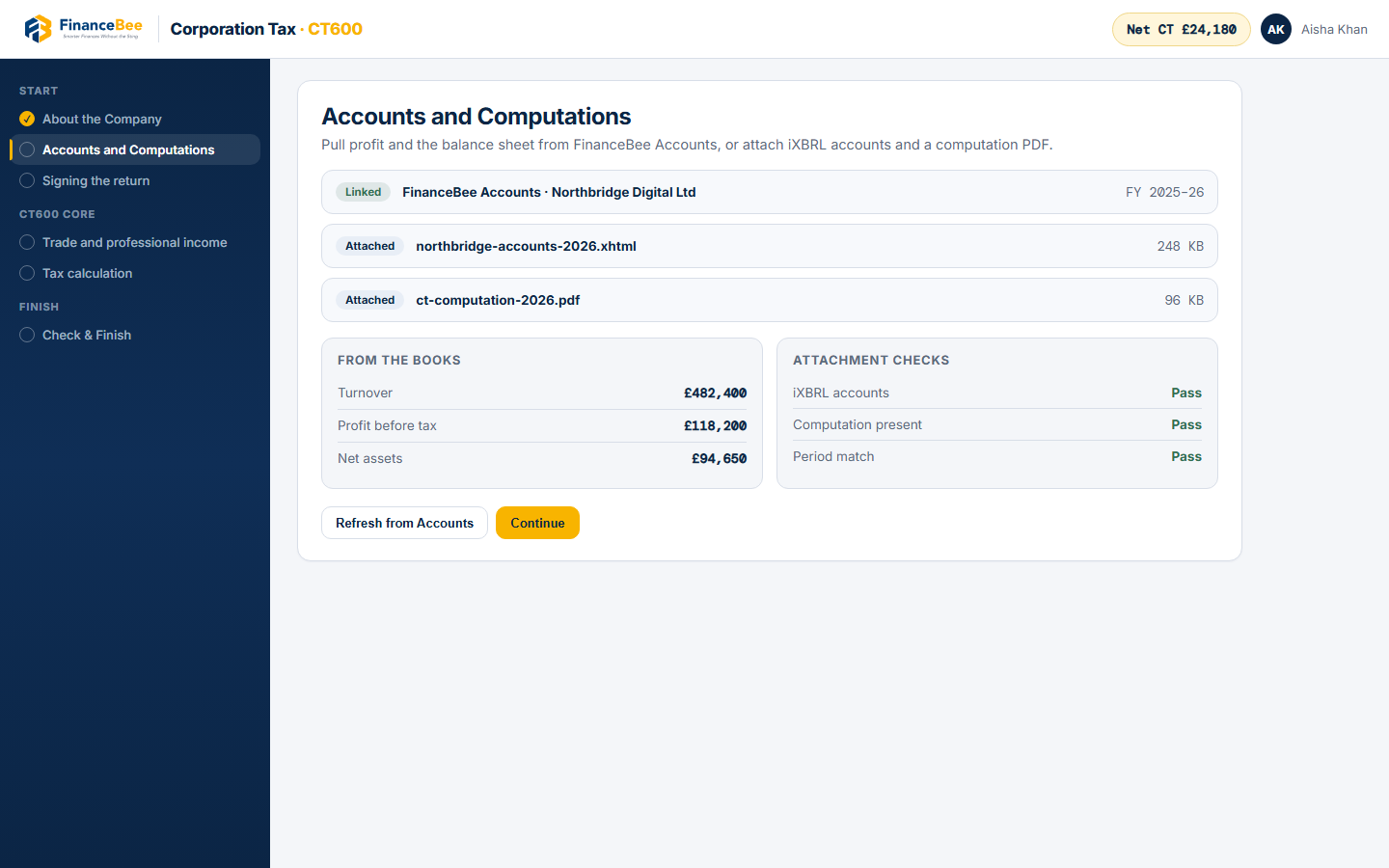
Profit and the balance sheet from FinanceBee Accounts, with attachment checks for iXBRL and the computation.
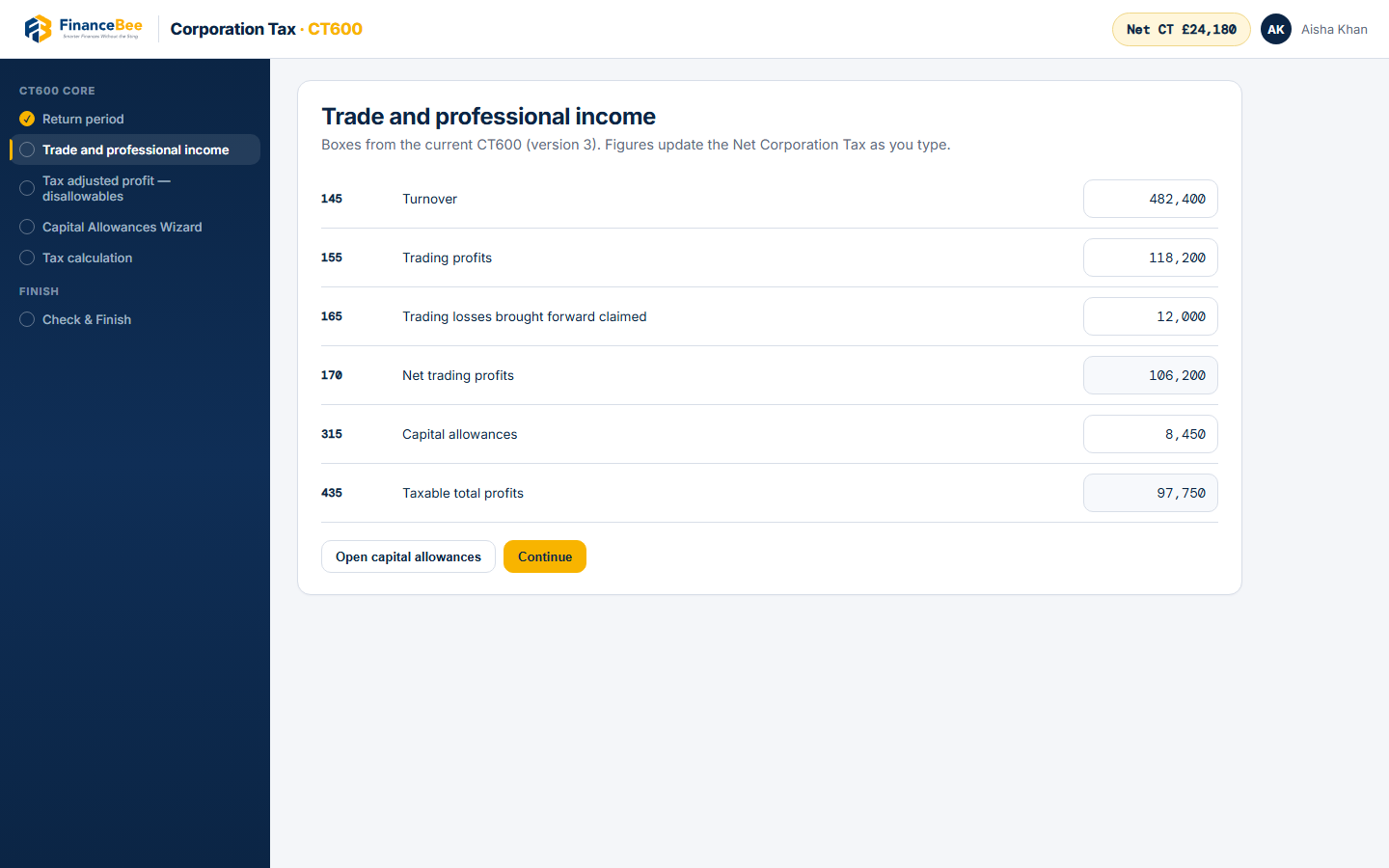
Trade income, losses and capital allowances on the current CT600 (version 3).
Main rate, small profits rate and marginal relief, with Net Corporation Tax updated as figures change.
Validate against HMRC's schema and business rules before anything leaves. Sandbox for testing today.
Worked out for you
Rates, relief and deadlines
The small profits rate, the main rate and marginal relief between them, with the limits shared between associated companies.
The tax on a year's profitLive · Chart.js
0%effective
19% small
Relief
25% main
Corporation Tax
£0
Marginal relief
£0
Lower / upper
£50k / £250k
Two deadlines from one year endTimeline
Period-
Pay tax-
File CT600-
Illustration for a 12-month accounting period, with taxable profit taken as augmented profit. Limits are divided between associated companies. Not tax advice.
For accountants and practices
All your limited company clients in one place: year ends, filing deadlines and each return's history together.
Audit trail on every return
Who prepared, reviewed and submitted it, kept with the company and the period.
Deadlines in one list
Year ends and CT600 filing dates across every limited company client.
Figures from the books
Profit and the balance sheet pull straight from FinanceBee Accounts.